
The Documents workspace writes tender paperwork for you — new documents from scratch, or the buyer's own official forms filled in with your company's details.
Open the workspace
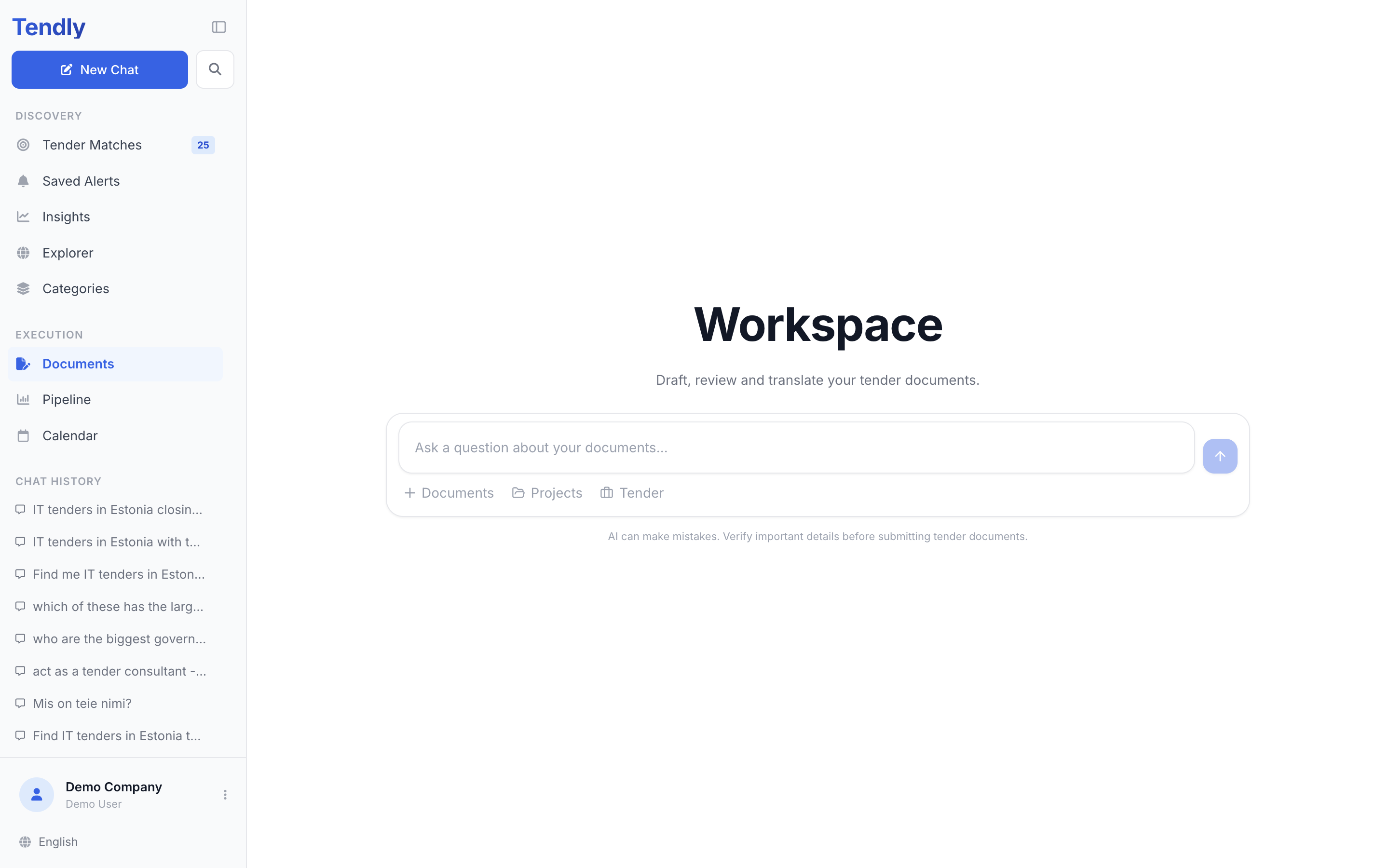
In the left sidebar, under "Execution", click "Documents". You land on a page headed "Workspace", with the line "Draft, review and translate your tender documents." and a box that says "Ask a question about your documents...".
Two things can stop you at this point:
- Free accounts see "Unlock the Documents workspace". Documents is part of the paid plans — click "Upgrade to Professional" or "View plans".
- If your email address is not confirmed you see "Verify your email to use Documents". Click "Resend verification email" and open the link in your inbox.
Give it the tender first
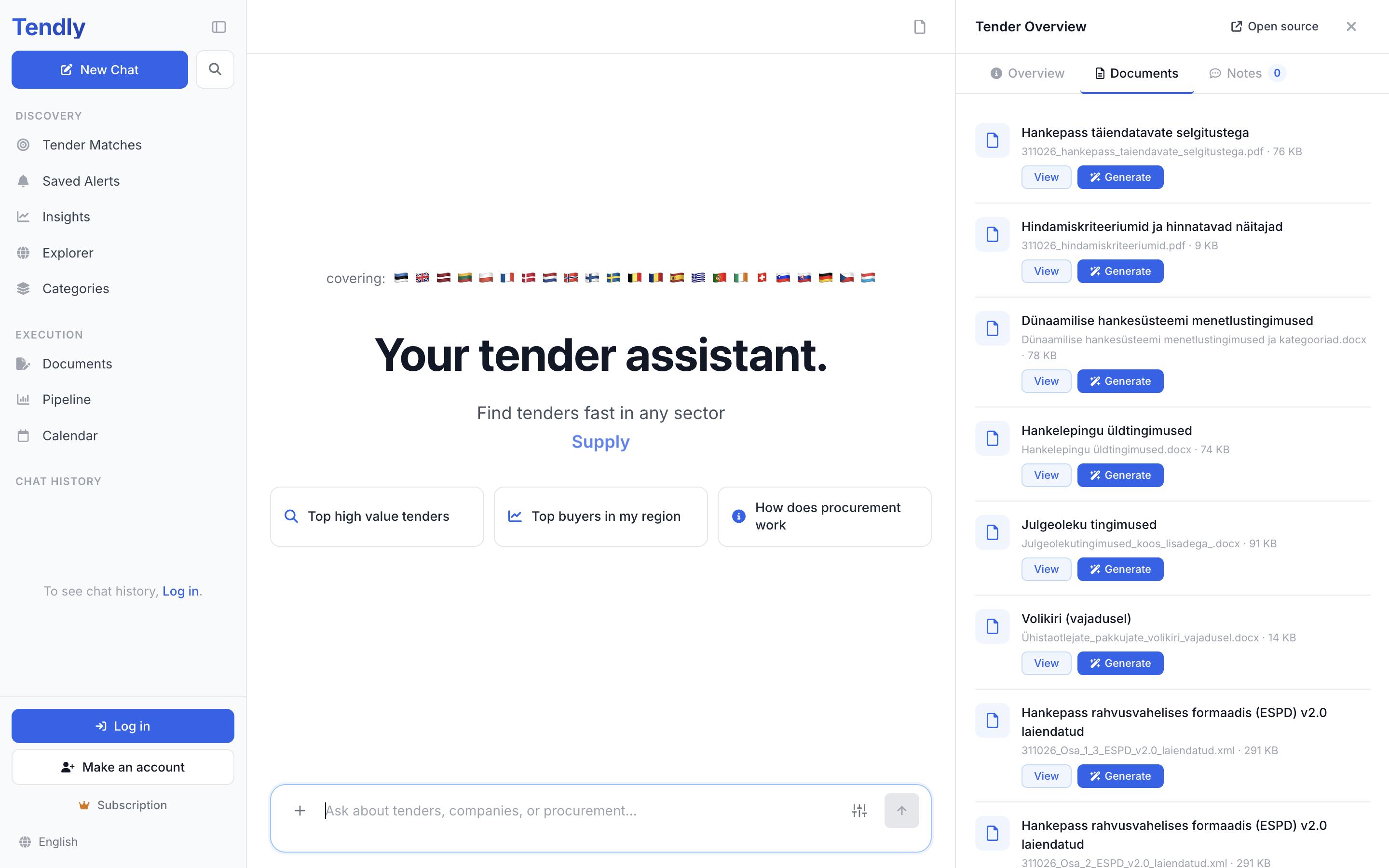
- Click "Tender" under the message box, then search by name, authority or keyword in the "Attach a tender" window. The workspace then has the tender's details and every document the buyer published with it.
- Click the "Documents" button with the "+" icon and choose "Upload files" to add your own PDF or Word files, or "Browse all" to reuse files already in the workspace.
- Click "Projects" only if you want to work inside a project — picking one and clicking "Continue" starts a fresh chat in that project, so attach the tender and any files again there.
- Type what you want and send it.
There is a shortcut from the tender itself: open the tender, go to its "Documents" tab and click "Generate" next to the file you care about. The workspace opens with that tender pre-attached and that file pre-selected, under a banner naming both — "Generating from tender: … • Document: …".
What you can ask for
- A new document — tender response, proposal, technical description, NDA, memo. You get a Word (.docx) file.
- A price schedule, bill of quantities or comparison table — ask for a spreadsheet and you get .xlsx or .csv.
- The buyer's own form, completed: "fill form 4 for this tender". Tendly fetches the real template from the source portal — if it has detectable blanks it fills them in place and keeps the official layout, otherwise it rebuilds a completed file from the template's content in the same format.
- A translation of an attached document.
- One of the built-in routines — "Bid / No-Bid Analysis", "Compliance Matrix" or "Tender Response Skeleton": inside a project chat, click "Workflows", pick the routine and click "Use".
What it drafts from
The AI works from three things: the tender's own documents, the files you attached, and your Company Profile, which it reads automatically. A thin profile produces thin drafts, so fill in Settings → "Company profile" before your first real bid.
It does not invent facts. Anything it cannot establish — a certificate number, a reference project, a price — comes back as a visible "[TO BE CONFIRMED: ...]" marker in a draft, or "[TO BE COMPLETED: ...]" in a filled-in form, for you to finish.
Getting the file out
Each finished document appears as a card showing its name and format — click the card, or the download icon on its right edge, to save the file. The formats are .docx, .xlsx and .csv; there is no PDF export. When a tender was attached, the file is also filed under Settings → "Knowledge Base" → "Generated Documents".
Drafting here does not cost credits — it is included in the paid plans, listed on our pricing page. Read everything before you submit it: the AI can get details wrong.