
Invite colleagues into your Tendly account so you research, match and bid on tenders together.
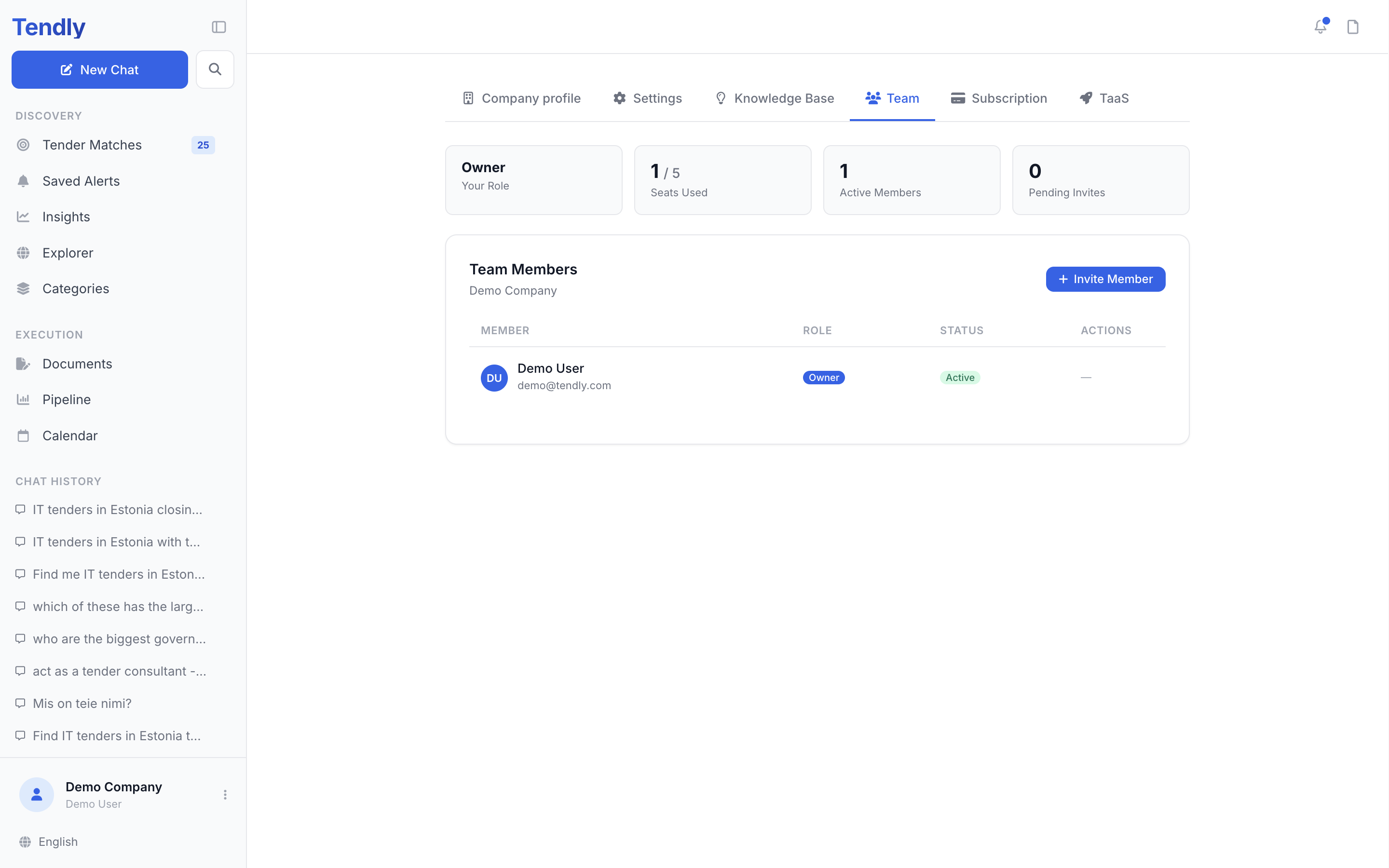
Open the team page
- Click your name at the bottom of the left sidebar.
- Click "Team Management". The "Team" tab on any settings page opens the same view.
There is no "Create Team" step. The first time a paid account opens this page or sends an invite, Tendly creates the organization for you and names it after your company — or after your own name, or the part of your email address before the @, if those are empty.
Team seats need a paid plan. On Free the page shows "Upgrade to add team members" and an "Upgrade Plan" button instead of the roster.
Invite someone
- Click "Invite Member" at the top of the "Team Members" card — the button only appears for owners and admins.
- Type their work address in "Email Address".
- Pick a "Role" — Member, Admin or Viewer.
- Click "Send Invite".
They receive an email with an "Accept invitation" button. The link is valid for 7 days and only works for the exact address you invited, so ask them to accept with that address. Until they do they sit in the roster as "Invitation sent" with a "Pending" badge, which owners and admins can revoke. Inviting the same address again refreshes the existing invitation instead of creating a second one.
The four roles
- Owner — the account holder. Carries the subscription and the credits, cannot be removed, and their role cannot be changed.
- Admin — "Can manage team members, billing, and all company settings".
- Member — "Can view and work on matches, pipeline, and saved tenders".
- Viewer — "Read-only access to matches and pipeline".
Only the owner and admins see the pencil ("Change Role") and person-minus ("Remove") buttons on a row; everyone else sees a dash. Removing someone frees their seat and sends them a notification email.
Viewer is a label rather than a lock today. It shows on the roster and in invitations, but the app does not yet prevent a viewer from doing what a member can. Use it to signal intent, not to enforce it.
What the team shares
This is the part that surprises people: everything resolves to the owner's account.
- Credits — one shared pool. What a member spends comes out of the owner's balance, and credits a member buys top up the owner's balance too.
- Tender matches — everyone sees the same list, built from the shared company profile. A yes, no or hide by one person applies for everyone.
- Pipeline and saved tenders — one shared board. When a solo account upgrades and becomes a team, tenders saved before the upgrade are pulled into the shared pipeline automatically.
The stat cards at the top of the page — "Your Role", "Seats Used", "Active Members" and "Pending Invites" — tell you where you stand. For what those shared credits get spent on, see Plans and credits.