
Categories let you see everything open in your industry without composing a search.
In the left sidebar, under "Discovery", click "Categories". The page - "Browse Tender Categories" - lays out 46 industries in 13 groups: Construction & Infrastructure, IT & Technology, Healthcare & Medical, Transport & Logistics, Energy & Utilities, Business & Professional Services, Industrial & Manufacturing, Agriculture & Environment, Food & Consumer Goods, Security & Public Administration, Hospitality & Recreation, Maintenance & Installation, and Other Industries.
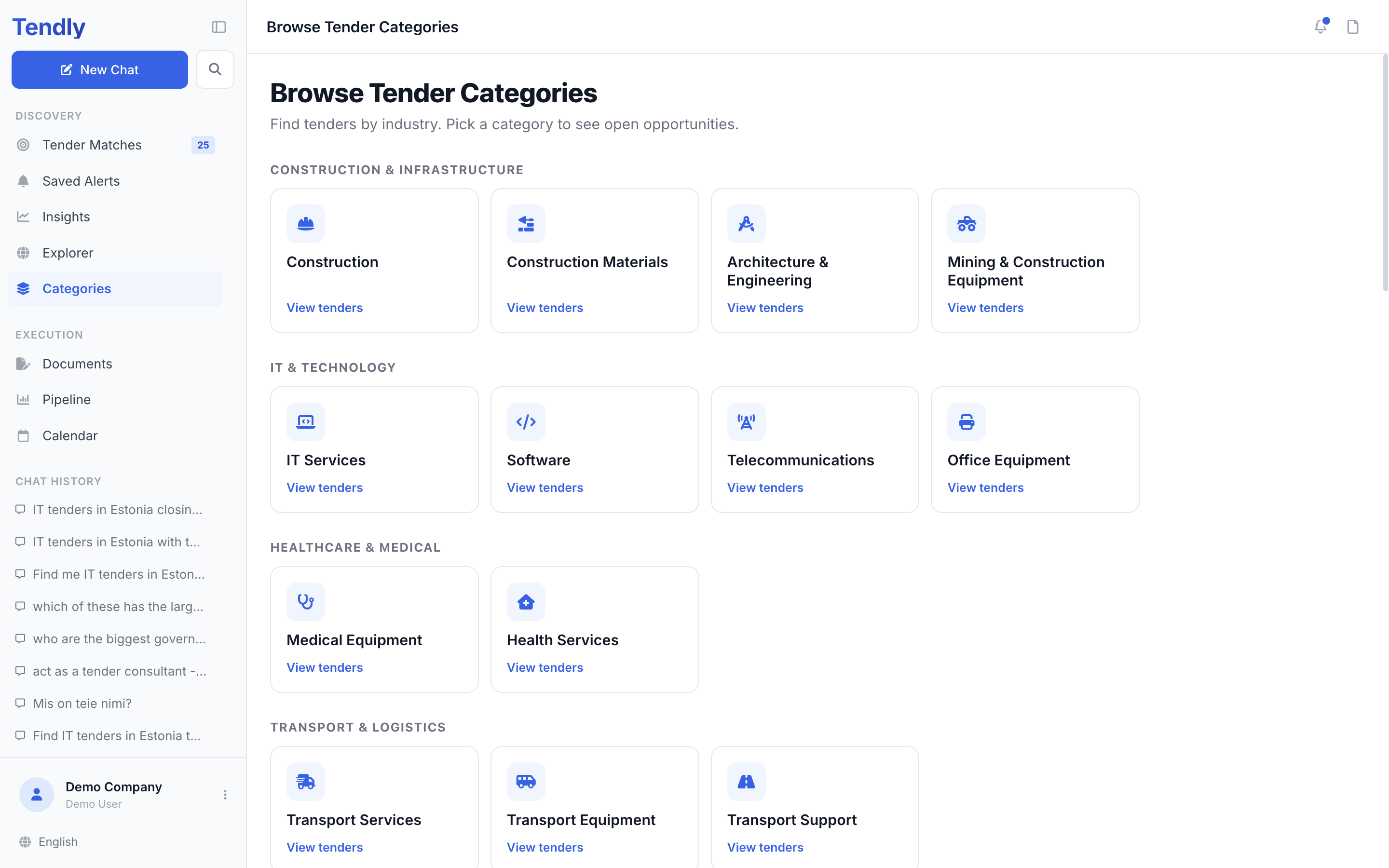
Each tile is one industry built on CPV codes, the classification the buyers themselves use - Construction, IT Services, Software, Medical Equipment, Environmental Services and so on. Click "View tenders" on a tile to open it.
Inside a category
The category page opens with the industry name and a count of active tenders, and lists them deadline-soonest first, 24 at a time with a "Load more" button. "All categories" at the top takes you back.
Two filters narrow the list:
- A row of country chips, starting with "All countries" and covering all 28 markets. Click one to see that country only.
- A "Time left" dropdown: "Any", "3+ days", "7+ days", "14+ days" or "30+ days". Use it to hide tenders you could not realistically prepare a bid for.
The cards are the same ones you see elsewhere, with "Overview" and "Ask AI" at the bottom - and "Pipeline" as well once you are signed in.
Marking what you will bid on
When you are signed in, each card also carries "Will you bid on this?" with "Yes", "Maybe" and "No". It is a fast way to triage a long list: your answer is remembered, and anything you mark "No" drops out of category listings. The Hide "No" chip controls that - switch it off to bring them back.
If a category has nothing open right now you get "No active tenders here yet" and an "Open explorer" button.
When to use categories
- Use Categories to survey a whole field: what is out there in Medical Equipment this month, whatever words the buyers used.
- Use Explorer when you already know the keywords, the CPV code or the buyer.
- Use chat when your question has several conditions at once, or when you want the answer explained.
Browsing categories is free and open to everyone. Saving a tender or recording a bid decision needs an account, but costs no credits.
Not sure which category your work falls under? Ask in chat - "what CPV codes cover industrial cleaning?" - and then open the matching tile.