
Tendly finds public tenders you can win across 28 markets and helps you research, prepare and track every bid without leaving the app.
Every day Tendly reads the official national procurement portals, translates what it finds and scores it against your company profile. From there you work in one place: ask questions in plain language, open a tender to read its documents, draft your bid and watch the deadlines.
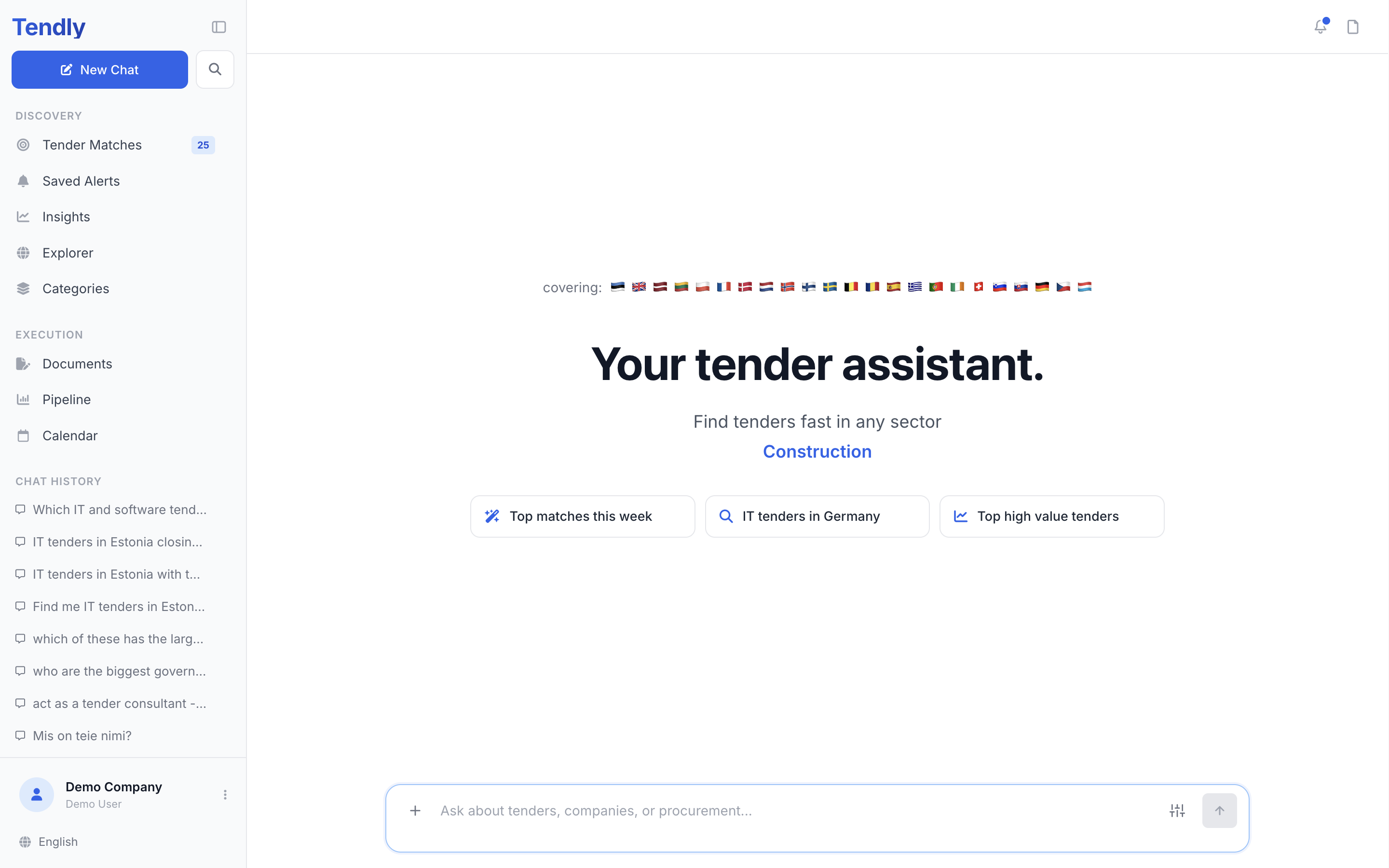
The markets Tendly covers
Tenders come from the official procurement portals of these 28 markets: Australia, Belgium, Croatia, Czechia, Denmark, Estonia, Finland, France, Germany, Greece, Ireland, Latvia, Lithuania, Luxembourg, Netherlands, New Zealand, Norway, Poland, Portugal, Slovakia, Slovenia, Spain, Sweden, Switzerland and the United Kingdom, plus NATO and the EU institutions.
Result cards in the chat, "Explorer" and "Categories" carry a "via" chip naming the portal a tender came from, whenever Tendly knows which portal that is. The app itself is translated into 17 languages — switch with the globe button at the very bottom of the left sidebar.
What is in the sidebar
Everything in Tendly hangs off the left sidebar, top to bottom.
- "New Chat" starts a fresh conversation; the magnifier beside it searches your old ones.
- "Discovery" groups the five ways to find work: "Tender Matches", "Saved Alerts", "Insights", "Explorer" and "Categories".
- "Execution" groups the three ways to run a bid: "Documents", "Pipeline" and "Calendar".
- "Chat History" lists your past conversations, each with a menu offering "Share", "Rename", "Pin" and "Delete".
- The button at the bottom, showing your company name and your name, opens your credit balance, "Company profile", "Settings", "Knowledge Base", "Team Management", "My subscription", "TaaS Settings" and "Log out".
- Below it sit a "User guide" link and the language button, which shows the language you are reading in.
Your first five steps
- Fill in your company profile. Open the profile button at the bottom of the sidebar, click "Company profile", and give it keywords and CPV categories — that is what matching runs on.
- Open "Tender Matches" and read what came back. Answer "Will you bid on this?" with Yes, Maybe or No; a "No" takes the tender out of your match list and files it under the not-interested view, where you can restore it later.
- Research a tender. Click "Overview" to open it in the canvas on the right, read its documents, and ask the assistant anything about it.
- Prepare the bid in "Documents" — available on the Professional and Enterprise plans — and track it on the "Pipeline" board as it moves through Saved, Qualifying, Drafting, Review, Submitted and Results.
- Submit on the buyer's own portal — or click "Assign to Expert" on a pipeline card and have a Tendly expert prepare the paperwork with you.
The chat, "Explorer", "Categories" and "Insights" work without an account. "Tender Matches", "Saved Alerts", "Pipeline" and "Calendar" ask you to log in first, and "Documents" also needs a Professional or Enterprise plan.
Where to go next
- Creating your account walks through signup and the three-step setup.
- Your company profile is the one to read carefully — it decides which tenders reach you.
- Our pricing page sets out the plans, what is free, and what credits are spent on.