
You can sign up for Tendly in about two minutes: three fields, then a three-step setup that drafts your matching profile for you.
Sign up
- Go to the signup page, or open the app and click "Make an account" at the bottom of the left sidebar.
- Enter your "Business email". Personal addresses such as Gmail, Outlook, Yahoo or iCloud are refused, as are disposable addresses and domains that do not exist.
- Choose a "Password" of at least 8 characters. The eye button shows what you typed.
- Start typing in "Country" and pick from the list — it offers only the 28 markets Tendly covers.
- Click "Create account".
Prefer Google? Click "Continue with Google" instead. It works with a business Google account; a personal Gmail account is refused there too.
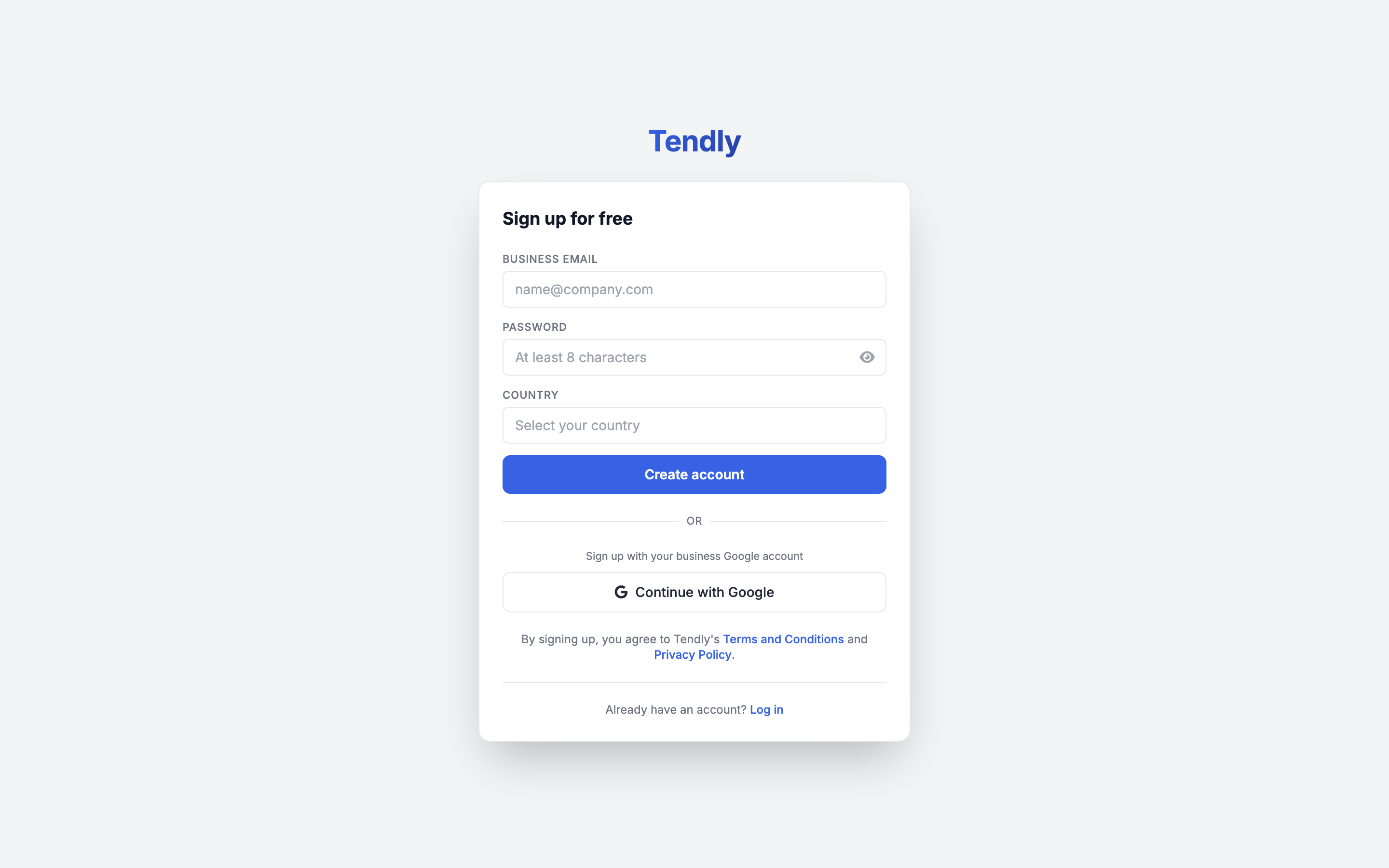
There is no tick-box for the terms. Pressing "Create account" accepts Tendly's Terms and Conditions and Privacy Policy, both linked under the button.
Step 1 — "Complete account setup"
Fill in "Your full name", "Company name" (as it appears in official documents) and "Company website", then click "Continue". If you signed up with Google, a "Country" dropdown appears here as well — set it, because it decides which market your matching starts in.
Tendly then shows "Analysing your company..." while it reads your website and drafts a company description, keywords and CPV categories for you. This costs no credits.
Step 2 — "Tender matching setup"
Review the "Company description" it wrote. A green badge reading "Pre-filled from your company data — feel free to edit." means it found enough; an amber "Manual input required — we couldn't find enough data automatically." means you should write the description yourself.
Open "Optional settings" and check "Keywords", "CPV Categories" and "Tender Preferences". They are optional on this screen, but matching needs at least one keyword or CPV category to return anything, so they are worth a minute now. Click "Continue".
Step 3 — "Choose your plan"
Four plans are offered — Free, Professional, Enterprise and Strategist — with a "Monthly" / "Yearly" switch. Click "Continue with free" to stay on the free plan. Professional, Enterprise and Strategist all open Stripe checkout behind a "Start 7-day free trial" button. See the plans page for what each plan includes.
What happens next
You see "You're all set!" and land on the chat. A first matching run has already started in the background against your CPV categories and keywords, and it costs you nothing — it is a CPV and keyword filter rather than an AI pass, so results are usually waiting under "Tender Matches" in the sidebar by the time you get there. A new account starts with 20 credits.
A verification email goes out at the same time. Confirming it takes one click, and nothing is blocked until you open "Documents", which does require a verified address. Verification links last 7 days and work once. An expired link lands on a "Link expired or invalid" page with a "Request a new link" button; you can also go straight to the resend page, or press "Resend verification email" on the Documents verification screen.
Reload the page mid-wizard and Tendly puts you straight back where you were. Close the tab entirely and you still return to the wizard with your name, company, website, keywords and CPV categories restored — but the company description you typed is not kept, so you will need to write it again.