
Explorer is the filter-based tender search: type what you want, narrow it with dropdowns, and get open tenders from 28 markets. It is free, costs no credits, and works whether or not you are signed in.
In the left sidebar, under "Discovery", click "Explorer".
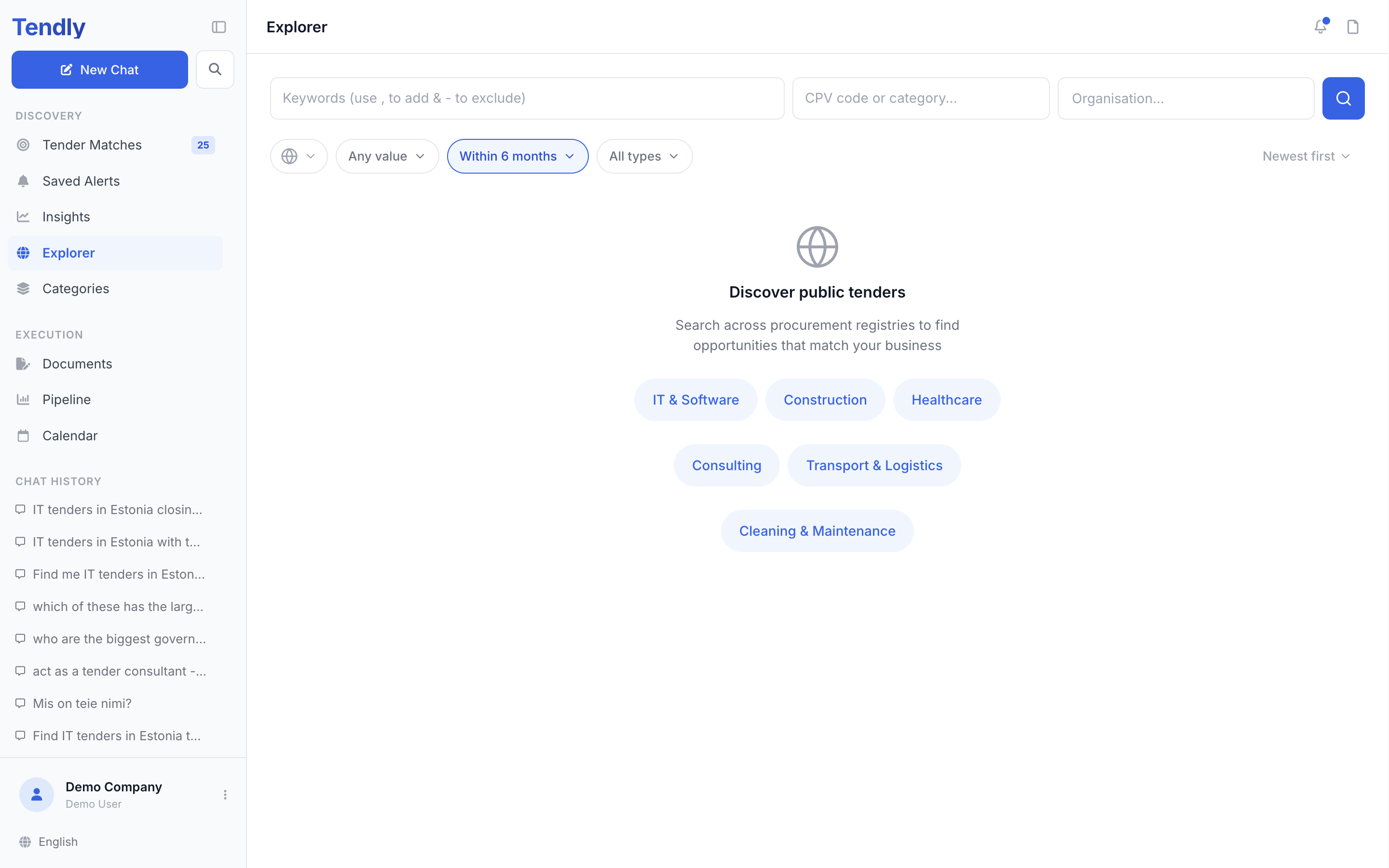
The three search fields
- Keywords - the placeholder reads "Keywords (use , to add & - to exclude)". Type a word and press comma to turn it into a tag; every tag has to match. Put a minus in front of a word, like -catering, to exclude it. Exclusions are checked against both the title and the description.
- CPV code or category - start typing a code or an industry word and pick from the suggestions, which appear in your own language. Each pick becomes a tag.
- Organisation - click the "+" button to reveal this field, then type a buyer's name to see only their tenders. The "-" button hides it again.
Press the magnifier to search. Before your first search, six shortcut chips are offered: "IT & Software", "Construction", "Healthcare", "Consulting", "Transport & Logistics" and "Cleaning & Maintenance".
The filter bar
- Country - the globe button at the left of the bar (no text label); open it for a multi-select list with "All countries" at the top and all 28 markets below it.
- Value - "Any value", "< 50k", "50k - 100k", "100k - 500k", "500k - 1M", "1M - 5M", "> 5M", or "Value not disclosed" for notices published with no budget.
- Deadline - defaults to "Within 6 months". The others are "Closing < 7 days", "Closing < 30 days", "New (Last 48h)" and "All (incl. far-out)". Widen it if you are looking for long-dated contracts.
- Type - multi-select: E-procurement, Traditional, Green, EU Funded.
- "Clear all" - resets every filter at once.
Sorting sits at the right of the bar: "Newest first" (the default), "Deadline soonest", "Deadline latest", "Value high to low" and "Value low to high".
Reading the results
The header tells you "Showing 24 of 312 tenders". Results arrive 24 at a time - click "Load more" for the next batch.
Each card shows the title, the country flag, the buyer, the reference and the portal it came from. A facts row gives VALUE, DEADLINE and TIME LEFT; when the buyer published no value that fact is left out rather than guessed. A "+N similar" chip means several near-identical lots of one framework were collapsed into a single card.
The bookmark icon in the corner and the "Pipeline" button both save the tender to your pipeline - that part needs you to be signed in, even though searching does not. "Overview" opens the full tender panel, and so does clicking anywhere else on the card. "Ask AI" starts a question about it.
Only tenders whose submission deadline is still ahead are returned. If nothing comes back you see "No tenders found" - drop a keyword or loosen a filter.
Explorer is the right tool when you know the words, the CPV code or the buyer. When your question has several conditions at once, ask it in chat instead.